Self-Hosting Ghost vs Ghost Pro/VPS

If you, like me, stumbled upon the open-source publishing platform Ghost, then you might have been intrigued to know your options regarding using it to host your own website or blog.
This article shows why the Raspberry Pi might be the best for this purpose.
Why self-host? Why use a Raspberry Pi?
What about Ghost(Pro)?
Ghost offers a streamlined way of setting up their service. Their Ghost(Pro) service provides hosting for your website alongside features like easy setup, automatic updates, and 24/7 customer support, and more.
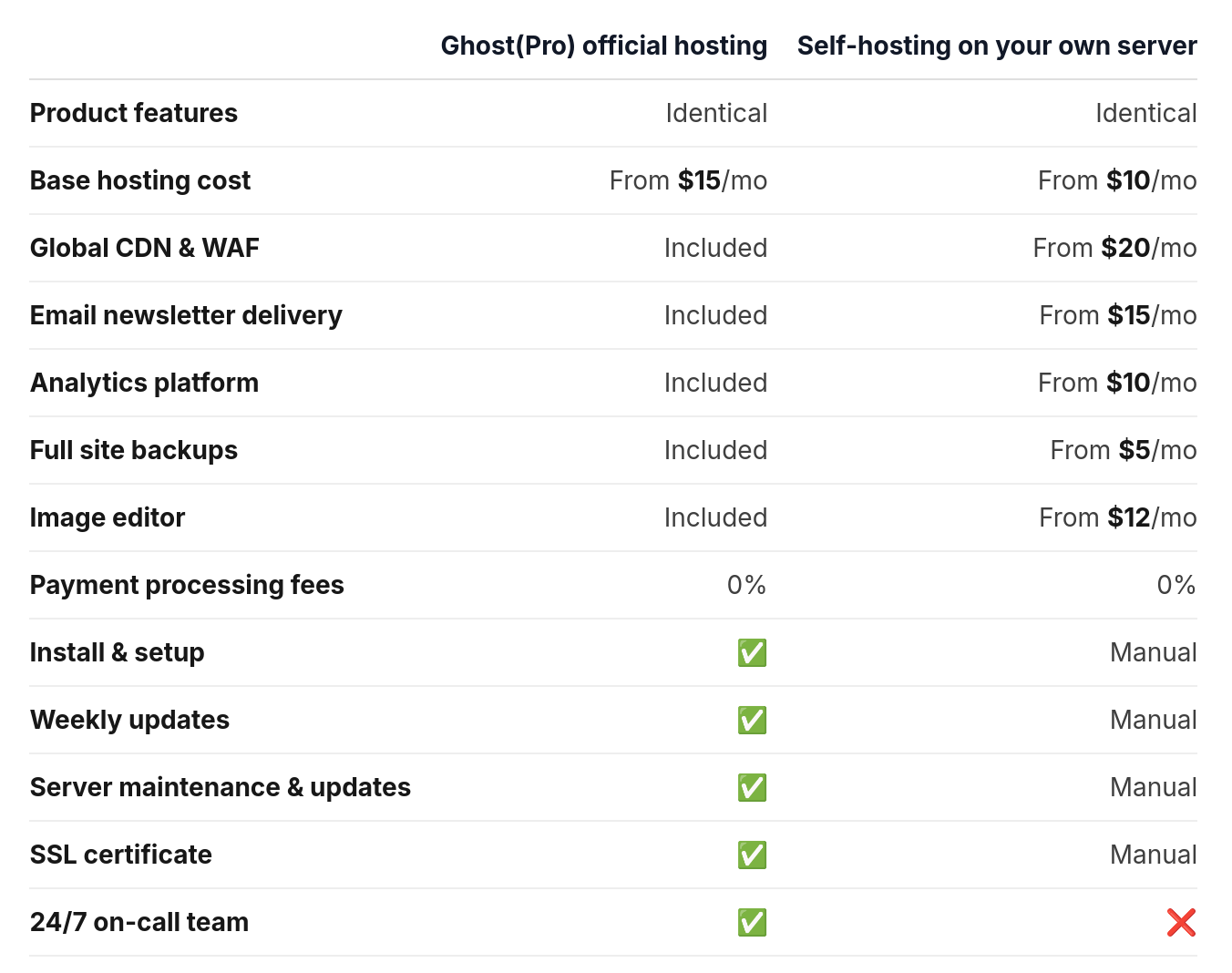
But it also costs 15$/month for the lowest tier. That is not a lot of money, but for me its the idea that you are stuck with paying that monthly charge potentially forever is a spooky idea. Self-hosting it is!
What about using a VPS (like DigitalOcean)?
That was my first choice actually. I thought a Virtual Private Server is perfect for my site since it's uptime is usually almost 100% and it can handle a lot of traffic with no problem, and I can also learn more about how these servers work and set one up myself.
DigitalOcean seemed like a good host with good prices. Their lowest tier was just $4/month but only provided 500Mb of memory. Because the minimum requirements for Ghost required at least 1Gb, I had to get the 6$ tier. Which is way cheaper than the $15 Ghost(Pro).
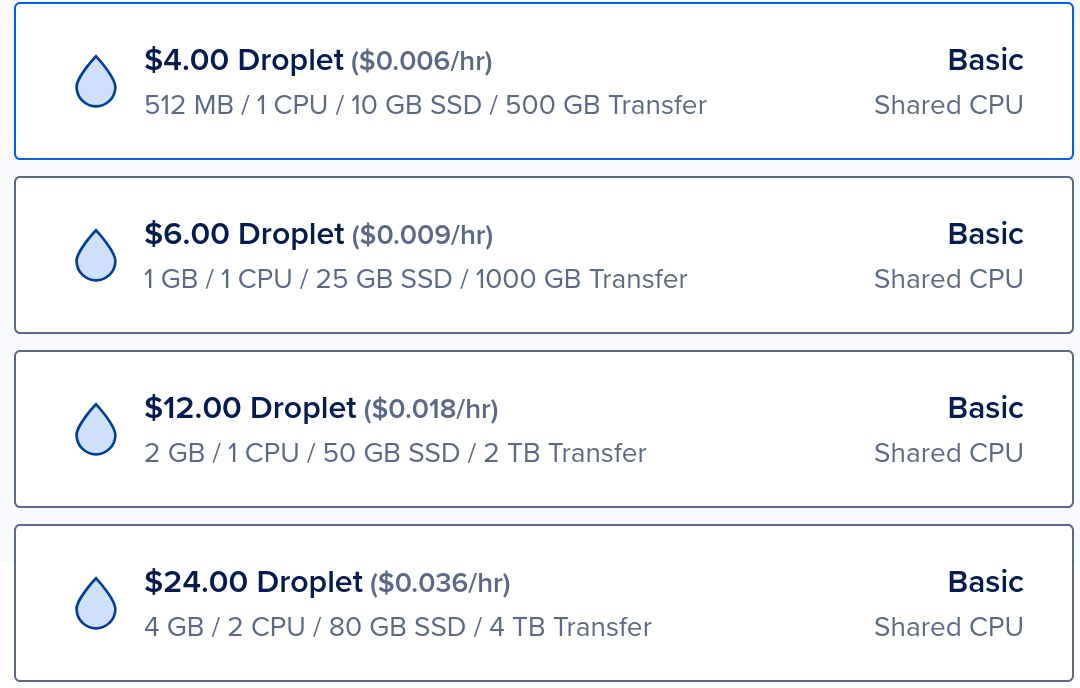
It, in fact, wasn't enough. Even though Ghost says that the minimum amount of memory you need is 1GB, the installer went above by 200MB and failed. I tried it many times without success.
I would now have to pay $12/month for it now and we're back where we started: Paying a high subscription fee.
Why a Raspberry Pi?
If you asked me, the best server is what you have around. If you have an old laptop or old desktop lying around, you can use it for this purpose and save it from the dumpster. It just needs to meet the minimum requirements(or slightly more) and run 24/7 (careful of swollen laptop batteries).
Unfortunately, I don't have any old computers lying around. And around the same time, I started watching Jeff Geerling's YouTube channel in which he uses Raspberry Pis for all kind of stuff. I bought a Pi the next day. I chose a Pi 5 with 8 GB of memory alongside a kit that included heat sinks and a fan.
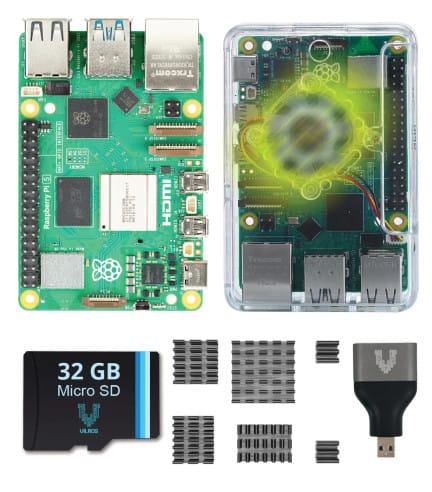
I would say the only mistake I made is that I bought it with 8Gb of memory which is way more what is needed for hosting such a simple website. I could have saved $20 if I went with the 4Gb version.
Installing Ghost and actually running it on a Pi wasn't easy and it took me a day's work and some help to actually get to run. But now that it is up, I am extremely happy with the fact that I don't pay any subscription and I can use my Pi for other things at the same time (Home Assistant anyone?).
Update Jan 2026: Remember that Raspberry Pi 5 requires 5A at 5V. I thought it wouldn't be a problem because I have a lot of chargers but turns out they only output 3A at 5V. And while it runs fine, it is not safe and if you connect other peripherals it will cause problems. So pick up a charger if you need one.
Also replace the SD card with an SSD ASAP. SD cards are kinda slow, have lower life span, and usually store less storage than SSDs.